Product · User Flows
Map the game before any code is written.
EvonX turns a game change into a flow first: the screens, the paths and the edge cases. The capture below is a daily-gift feature.
Derived from your game, not drawn by hand
Flows are generated from your application's real screens and data model — not a whiteboard sketch that drifts from reality the day after it's drawn.
Branches and edge cases included
The happy path is the easy part. Flows map empty states, validation errors, and permission branches too, so they're decided up front instead of discovered in QA.
See a change's blast radius
Before any work starts, the flow shows which screens and paths your request touches — so you can approve the scope, not just the idea.
Always in sync
When the application evolves, the flows evolve with it. There is no stale diagram to maintain, because the flow is derived from the product itself.
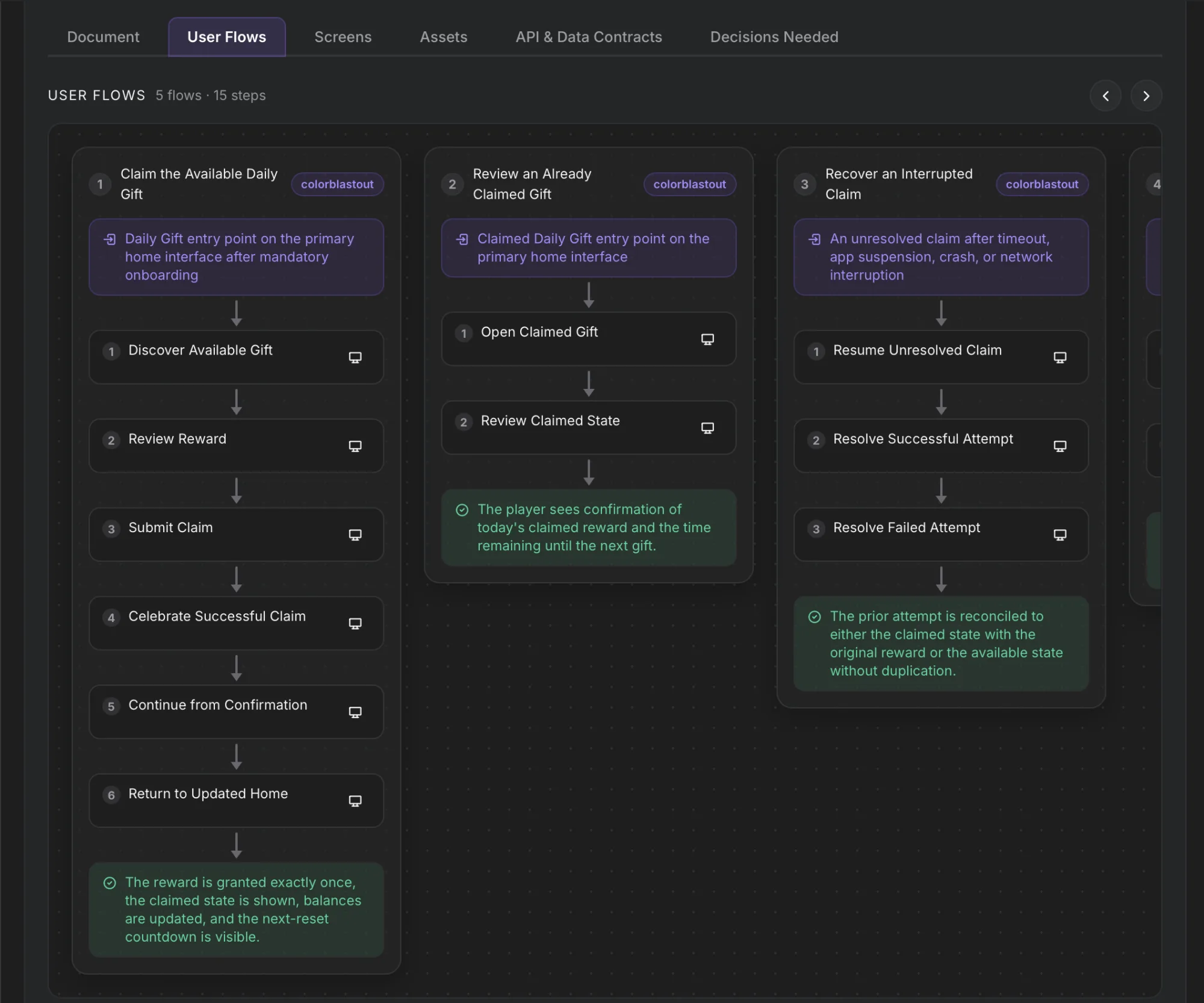
Change a flow, not a codebase
The cheapest moment to fix a design decision is before it exists in code. Reordering a step or adding a branch in a flow diagram takes seconds; refactoring the same decision out of shipped screens takes days. EvonX front-loads that conversation, in plain language, with a diagram anyone on the team can read.
From flow to a playable build
An approved flow feeds design mockups, and approved mockups drive the build. For a game, that is the path from a screen map to something you can play.
Live-ops features
Daily gifts, passes and events go through the same stages, and each is reviewed before any code is written.
Map the next game screen.
Start free. Describe the game and review the paths before anything is built.