GDevelop is the better beginner engine. An AI game generator is the better beginner shortcut. If you want to understand why a piece slides or a platformer jumps, stay in GDevelop. If you want a playable this afternoon without opening an event sheet, use a generator — EvonX for casual mobile-style loops, Rosebud or Tesana for a wider prompt canvas.
You are not choosing “AI or GDevelop.” GDevelop’s free account already includes AI credits (40 a month at last review on the GDevelop alternative page). You are choosing whether you author the logic.
What GDevelop asks of a beginner
GDevelop is a no-code engine. Scenes, objects, event sheets. A condition fires an action. When a rule is wrong, you can find the event. That is the point of learning games: the debugger is visible.
Exports are the other reason beginners pick it. Web on gd.games, desktop, and Android. The free account gets one Android build and one desktop build a day. iOS sits on Gold and Pro. Multiplayer lobbies ship with the engine. EvonX has none of those exports and no online multiplayer.
The cost is time. The first playable arrives after you learn the editor, not after one sentence.
What an AI game generator asks of a beginner
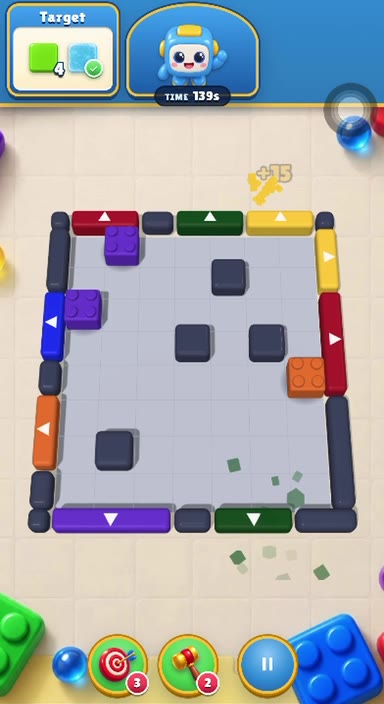
A generator asks for a description. EvonX turns “a sliding-block puzzle with a level-complete screen and a score” into a board you tap in a phone frame. Art comes with the code. The second sentence — “make the last levels tighter” — should edit that board.
Beginners fail this path when they type a store listing (“make Candy Crush”) or a vague wish (“make it fun”). The sentence formula is on how to make a game from one sentence with AI.
Limits a beginner should hear early: EvonX games are web games. Publishing a link is on Plus ($20/month) and Pro ($99/month). There is no App Store package. Building and preview are free on Starter. Pricing.
A beginner decision table
| You want | Use |
|---|---|
| To learn how games work | GDevelop |
| Desktop, Android, or iOS builds | GDevelop |
| Online lobbies | GDevelop |
| A casual loop on a phone preview today | EvonX |
| A 3D world or a Windows export | Rosebud |
| Hosted 2–4 player from a prompt | Tesana |
The playable-browser criteria — preview, mechanics, editing, assets — are on the best AI game generator page. The 2026 framing is best AI game maker in 2026.
A path that uses both
Many beginners should do both, in order. Generate a vertical slice in EvonX. Send the link. If the loop is worth a store listing, rebuild it in GDevelop with the design already proven. That is cheaper than learning events on a game you will throw away.
Start the shortcut on the AI game generator page, or the longer engine comparison on game making software.
A week a beginner can schedule
Day one: one EvonX sentence, one preview, one reskin. If you cannot enjoy that hour, GDevelop’s week will feel longer, not shorter.
Day two: open GDevelop’s event sheet tutorial anyway, even if you keep EvonX. You will know what “condition / action” means when a generator output feels wrong.
Day three: decide. Stay on the link path, or rebuild the same loop in events so you can export Android. Do not learn events on a new idea. Learn them on a loop you already like.
Teachers can stop at day one and collect URLs. Students who want credits toward “I understand games” should continue to day three.
Quick answers
Which is easier? The generator. Easier is not the same as more control.
Can GDevelop’s AI replace EvonX? No. It assists inside an editor you still drive.
Should a complete beginner install GDevelop first? Only if the goal is to learn. If the goal is a playable tonight, skip the install.